Entities
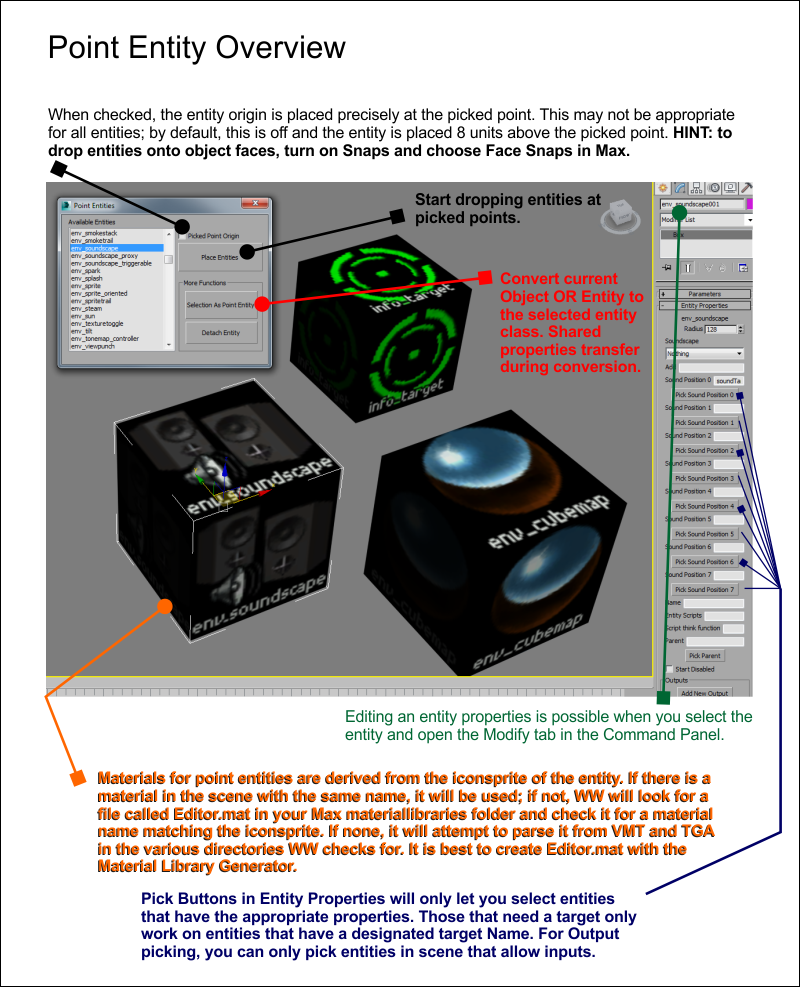
Now you can create entities natively with Wall Worm. There are four sets of tools: Point Entities, Brush Entities, Entity Explorer and an Entity Manager.
In order to use Entities with Wall Worm, you must have told Wall Worm where the FGD file for your mod is located in the global WW settings. Using the Preset Importer is the easiest way to get the correct FGD. But generally, you can find it in the Bin Directory for your mod. To get the full list of entities, make sure to pick the final FGD instead of a base or auxilliary FGD. For example choose the tf.fgd for Team Fortress or csgo.fgd for Counter-Strike: Global Offensive.
When Wall Worm first reads your FGD, it generates a cache file of all the rules for the entities so that the FGD doesn't need to be parsed each time you open WW. The first time you parse the FGD (or when reparsed), it may take several seconds (or minutes) for the action to complete. Please note that the MAXScript-based parser in the free WW is prone to fail with an "Unknown System Exception" with many FGD files. If you have that problem, read the link above or upgrade to WW Pro (which does not rely on the buggy MAXScript file-reading functions).
To open the appropriate tool, click these items in the WW Menu:
- Wall Worm > Level Design > Brush Entities
- Wall Worm > Level Design > Point Entities
- Wall Worm > Level Design > Entity Explorer
- Wall Worm > Level Design > Entity Manager
The Entity Explorer is a scene explorer that lets you filter and sort objects in the scene that are entities.
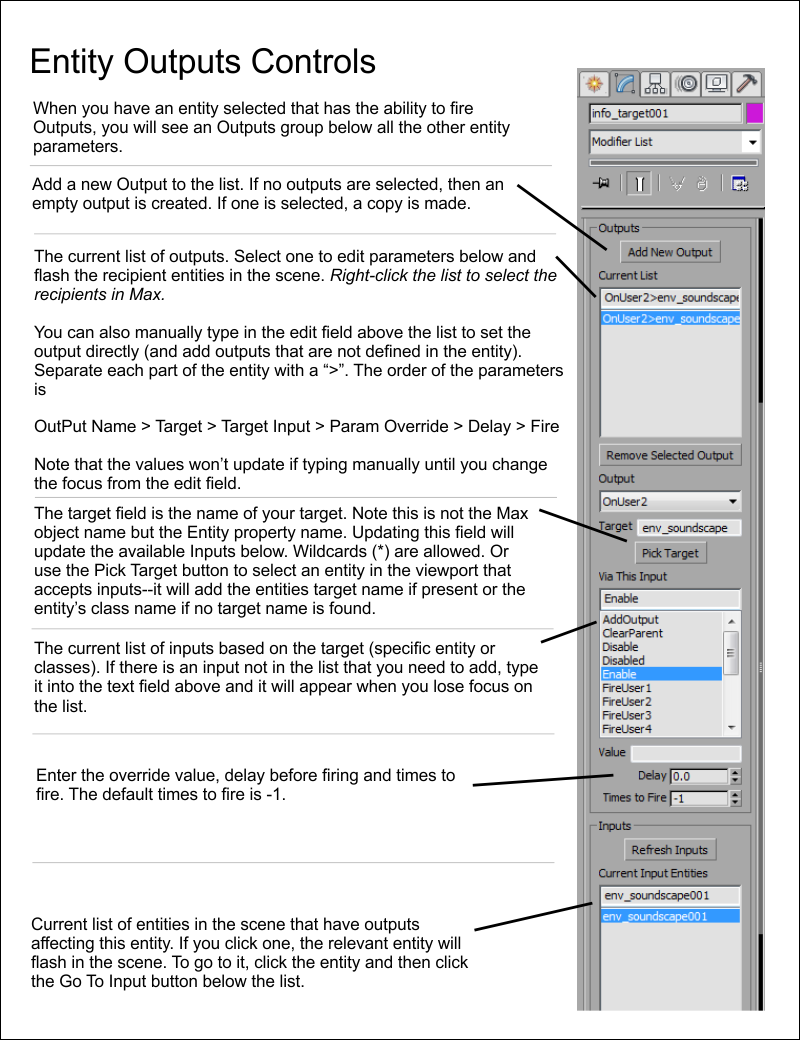
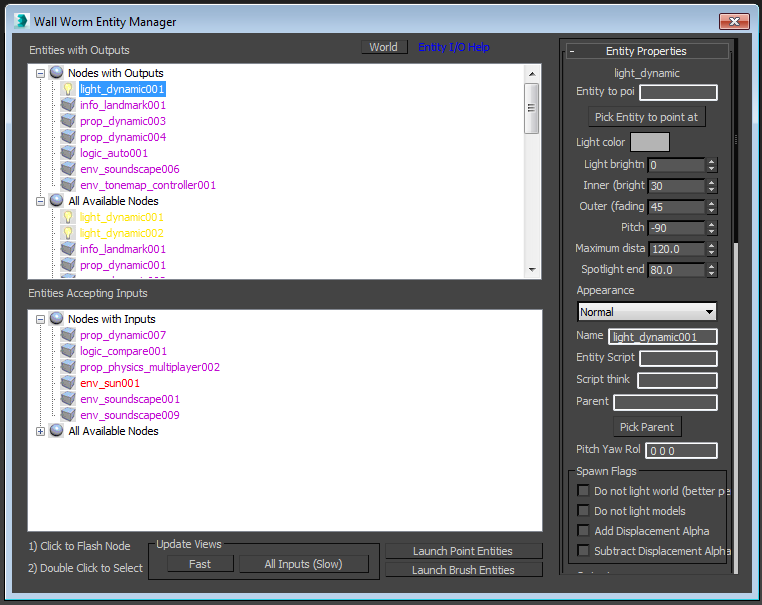
Here are some reference cards until more documentation arrives:
Map Properties
There is a special entity called worldspawn. This entity controls various aspects such as the detail sprite material, sky material and other global parameters. To access these properties, open the Entity Manager and click the World button.
Latest Articles
Source 2 FGD Parser
The FGD parser in Wall Worm supports Counter-Strike 2 to create game entities inside 3ds Max.
Creating Entities
Details on what objects automatically export as entities in a VMF and how to manually create other entities.
Entities are Missing in Exported Scene
Solutions on missing entities in exported game level
Information on why some entities might not export into the game and how to fix that.
Entity Cache
Explanation on how Entities are generated and stored on your computer.